
Restricted & Suspicious mail items include air gun parts or other materials that violate international customs compliance or shipping policies. Here’s how you’ll handle requests like this.
Step 1: Pause & Notify the Customer
Do not complete the forwarding request or ship the mail item.
Contact the customer immediately via phone or email.
Inform them that the request will be rejected due to a vague description and restricted items (for domestic or international shipping).
Offer Alternatives: Advise the customer that they have the option to pick up the mail in person.
Step 2: Reject the Forward Request
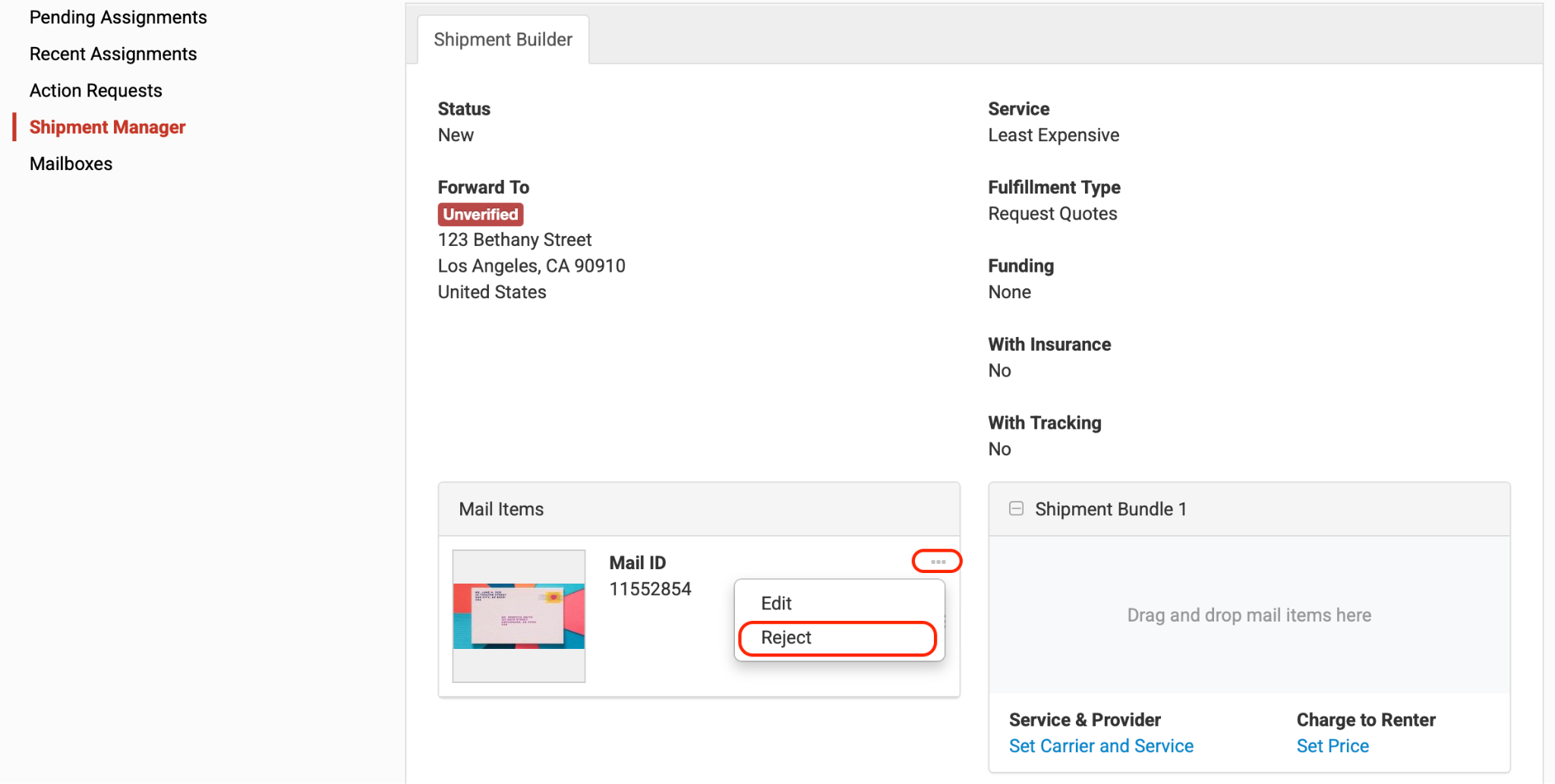
From your Dashboard, click New > Select the Customer > under Mail items > click the 3 dots > select Reject.
In some cases where customers appeal or want to proceed with the shipment, it is still at your own discretion. What we suggest is to do the following:
Step 1: Send an email or call the customer to inform them that you will apply these conditions:
Exact Labeling: You’ll type the exact, honest items on the customs form (e.g., "Merchandise: Air rifle charging block and stock"). No vague wording allowed.
Customer Takes the Risk: They must explicitly reply acknowledging that if Customs/Border Force seizes the package, it is their financial loss.
Step 2: Process Based on Customer Response
Scenario A (They Agree): Update the customs declaration details with the honest descriptions, process the request in the portal, and ship it out normally.
Scenario B (They Refuse or Don't Reply): Proceed with Rejecting or keep the current status of the request in the portal. Advise them they must pick up the mail in person or request a domestic action.
Note: Have the customer re-submit the forward request. Once submitted it will now show in your Dashboard for you to complete.
You may also refer to this article for Safety Talk from USPS