
Customers often inquire if they can use their own shipping labels for mail forwarding. While this is permitted, it is up to the partner to decide whether to allow customers to use their own shipping labels. This article provides guidance on best practices for managing such requests and ensuring seamless transactions.
Anytime Mailbox Recommendation
To streamline and simplify mail forwarding transactions, we strongly recommend completing customers' forwarding requests directly through your portal and printing shipping labels at your store. This approach reduces complications and ensures a smoother, more efficient workflow for both partners and customers.
Accepting Customer-Provided Shipping Labels
If you choose to allow customers to provide their own shipping labels, follow these recommended steps:
Customer Requests Forwarding Through Their Portal:
Instruct customers to log into their portal and submit a forwarding request for the mail they wish to forward.
Operator Completes the Request Through Your Portal:
Even if the customers provides their own shipping label, you must still complete the forwarding request on your end via your portal.
This ensures that the system recognizes the mail as forwarded and applies any applicable forwarding fees based on the customers's service plan.
Charge Forwarding Fees:
The system will automatically calculate and apply the appropriate forwarding fees (e.g., per bundle or per request) based on the customers's service plan.
Here are the steps to set up carriers, services, and handling fees for customers who are allowed to use their own shipping labels.
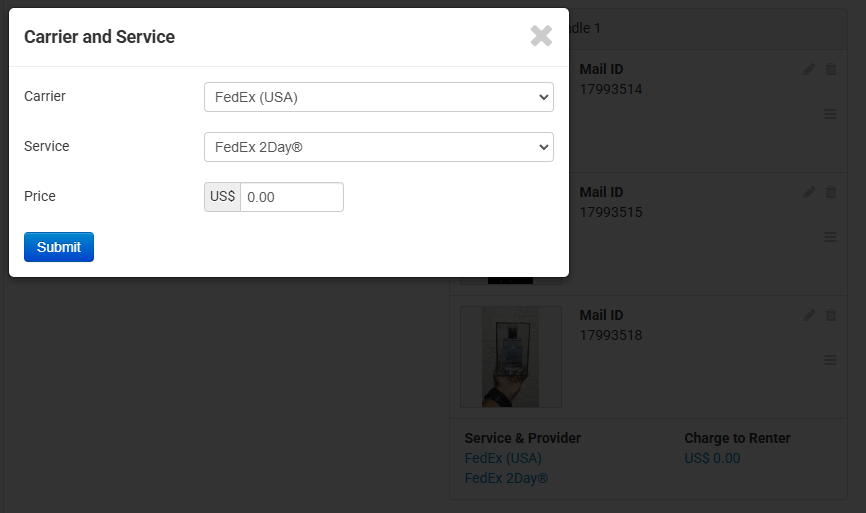
Create Shipment Bundles, drag and drop mail items into the Shipment Bundle Box by hovering over the burger icon until the hand icon appears. Select the Carrier and Service from the customer's shipping label, set the Price to $0.00, and click Submit.
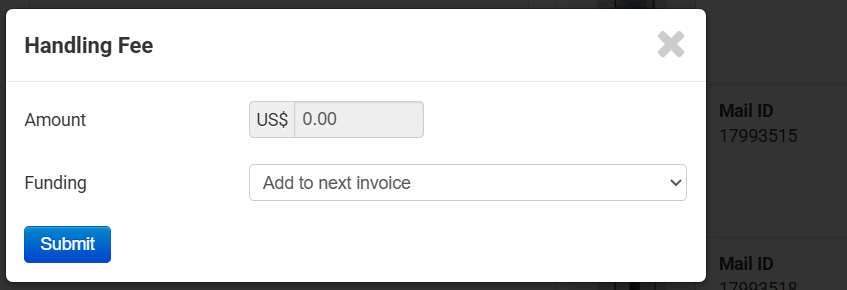
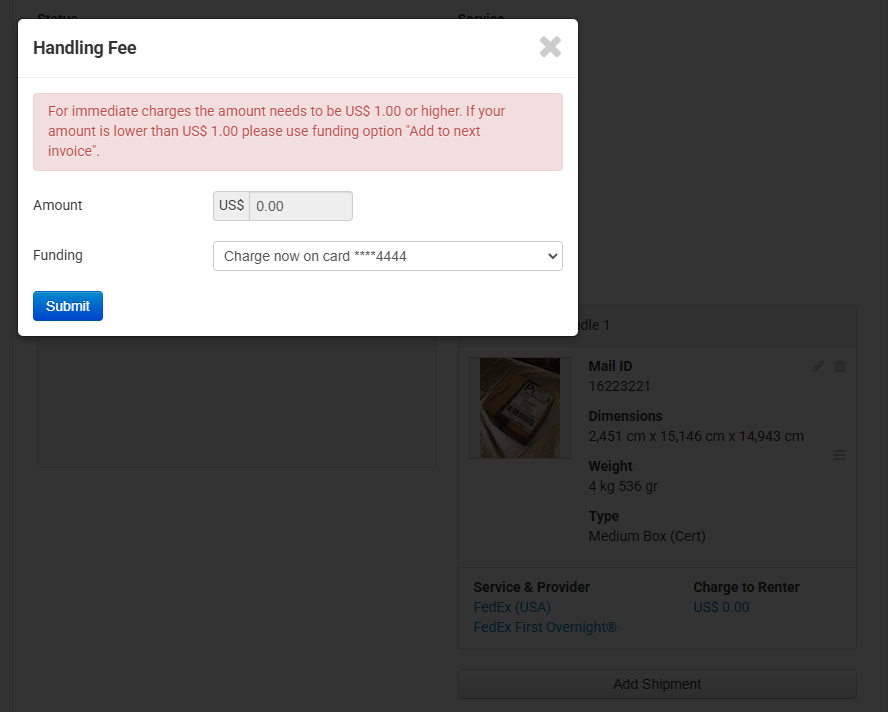
Click "Complete," set the amount to $0.00, select "Add to next invoice" to avoid errors, and click "Submit" to notify the customer.
To view instructions for completing a forwarding request, please click this link: Complete a Forward Request