
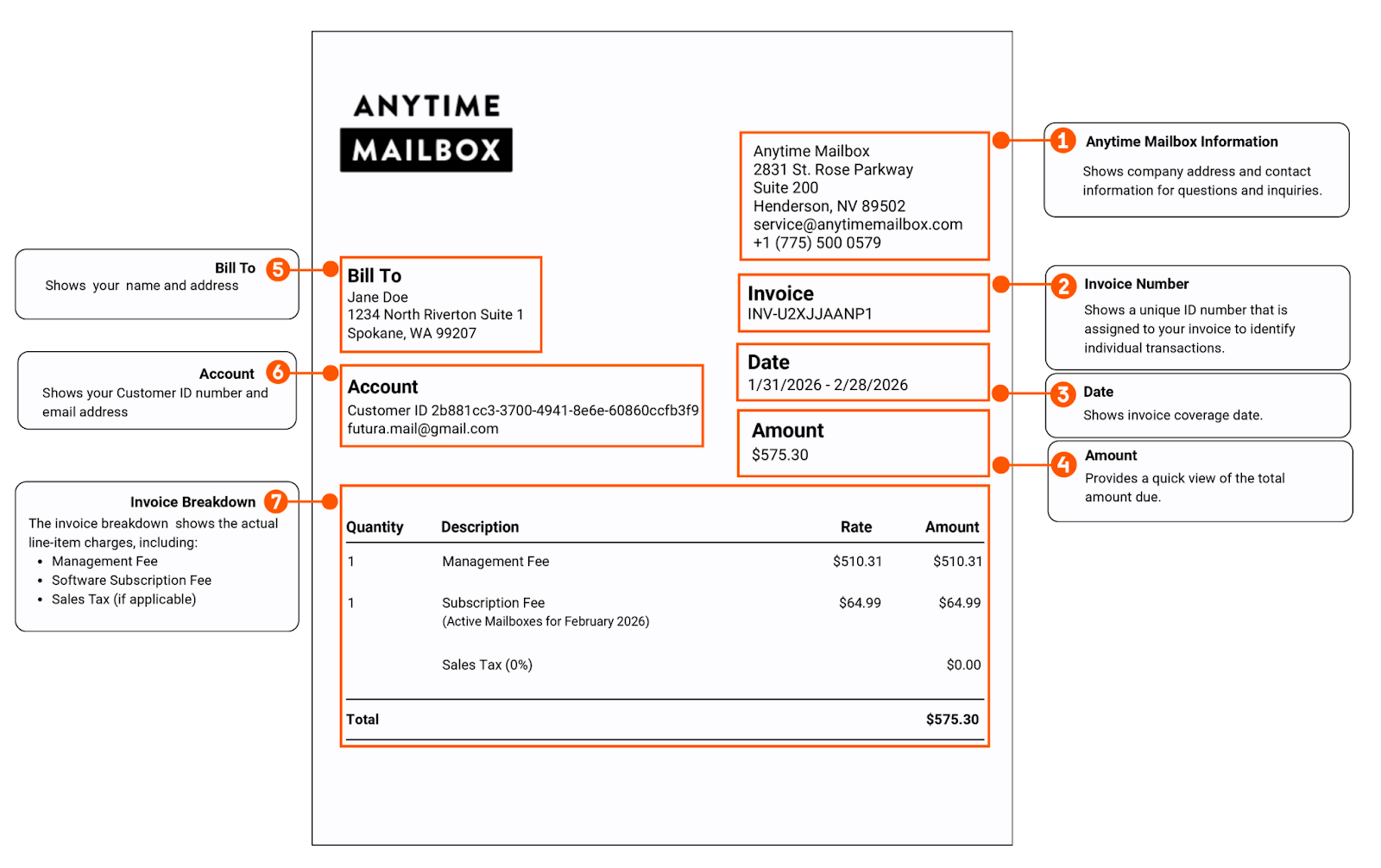
Your Invoice provides a detailed summary of all charges applicable to your location during a specific billing period. The invoice total will be deducted from your total earnings; the remaining balance will then be disbursed to the bank account on file.
Invoices are generated on the 1st of each month and reflect software subscription fees, management fees, and any applicable sales tax for the covered period.
Below is a detailed explanation of each section shown in your invoice:
Anytime Mailbox Information
Displays Anytime Mailbox’s company address and contact information for billing-related inquiries.
Invoice Number
A unique reference number assigned to your invoice for tracking and support purposes.
Date & Amount
Shows the invoice release date and a quick view of the total amount due.
Bill To
Displays your name and mailing address associated with your account.
Account (Site ID)
Shows your assigned ID number. Customer ID is a unique number to identify your location's information in the system and is essential information required for verification when you contact us by phone or chat.
Invoice Breakdown
Provides a detailed view of all applicable charges, including:
Monthly Software Subscription Fee
Partners that are in the growth stage, and have 19 or fewer mailboxes, are not charged a monthly software subscription fee.
Management Fee (5%)
A 5% service fee that Anytime Mailbox charges for managing mailbox subscriptions and other related services.Sales Tax (if applicable)
Calculated based on state and local tax regulations and shown as a separate line item.
Total